
Delete your Coffex account
We'd hate to see you go. Before you submit your request, here are a few things to know:
- This is a request, not an instant deletion — our support team will review it and contact you by phone or email to confirm your identity and complete the process.
- Once your account is deleted, all unused discounts will become void. Terms and Conditions apply.
- Once your account is permanently deleted, your personal data will be removed except for information we are required to retain for legal, tax, security, or fraud prevention purposes, as described in our Privacy Policy and country specific law.
Request account deletion
Thank you. Your deletion request has been received — our support team will contact you by phone or email to confirm your identity and complete the process.
Something went wrong while submitting the form. Please try again, or email us at support@coffex.club.
How to request deletion in mobile app
- Open the Coffex app and sign in to your account.
- Go to the Profile tab.
- Tap Delete account.
- Review the confirmation dialog and tap Delete.
- You'll be signed out of the app on all your devices, and your account will be scheduled for deletion.
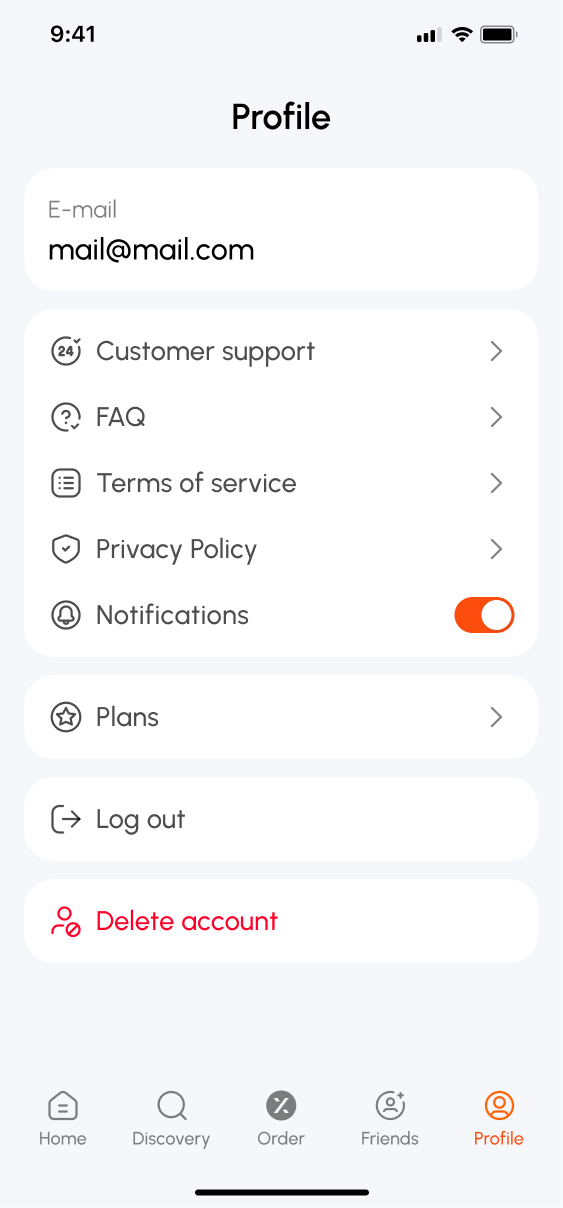
Steps 2–3 — the Profile tab and the Delete account button.
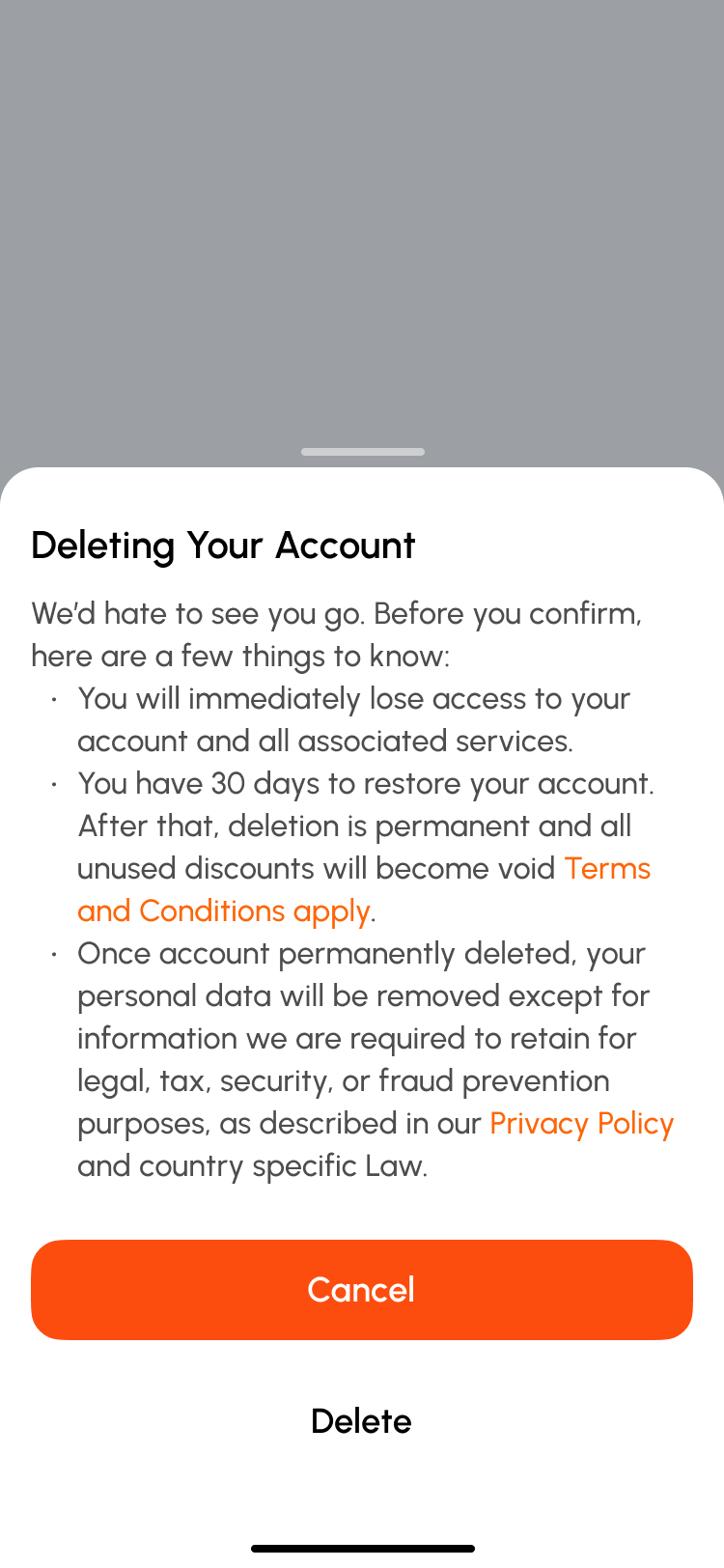
Step 4 — the confirmation dialog.
What happens to your data
- You have 30 days to change your mind — simply sign back in during this period and confirm restoration to keep your account and data.
- After 30 days, your personal data — name, phone number, and email — is permanently anonymized and can no longer be linked to you or used to sign in.
- Some information may be retained beyond this period where required for legal, tax, security, or fraud prevention purposes, as described in our Privacy Policy and applicable law.
More good coffee, right where you already go.

support@coffex.club


